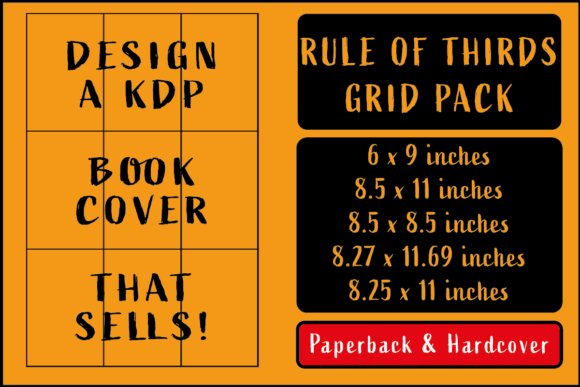
KDP Cover Rule of Thirds Grids Pack
Creating a book cover that stops a potential reader mid-scroll on Amazon requires more than a striking image. The way elements are arranged on the canvas often determines whether the cover feels professional and balanced or slightly off. That is where the rule of thirds comes in. This classic composition guideline divides a frame into nine equal segments using two equally spaced horizontal lines and two equally spaced vertical lines. The four points where these lines intersect become natural focal points for the human eye. When you place key elements like the title, author name, or central imagery along these lines or at the intersections, the design gains a sense of visual tension, harmony, and flow. The KDP Cover Rule of Thirds Grids Pack provides ready-to-use transparent overlays in popular trim sizes so you can apply this principle quickly, without guessing or manually drawing grids.
Why composition matters for Amazon KDP covers
Amazon’s search results display covers as small thumbnails. A well-composed cover stands out even at that reduced size because the most important elements land where the eye naturally looks first. The rule of thirds helps you avoid the common mistake of centering everything, which can make a cover feel static. Instead, by aligning the protagonist’s face, a symbolic object, or the title along one of the vertical grid lines, you create a dynamic entry point. For self-publishers, this can mean the difference between a browse and a click. The KDP Cover Rule of Thirds Grids Pack eliminates the need to set up grid guides from scratch in your design software. You open the PNG overlay that matches your trim size, place it on its own layer, and start arranging your cover elements against the grid.
How the grid pack simplifies your design workflow
Whether you are a seasoned designer or a first-time author using Canva or Photoshop, the pack saves time and reduces guesswork. Instead of drawing guides and calculating margins, you have a transparent, adjustable overlay ready to go. The grids come in two colors—black and grey—so you can choose the one that offers the best contrast against your background image. Grey works well on busy, high-contrast photographs because it is less intrusive. Black stands out on lighter or more minimalist backgrounds. Because the overlays are in PNG format with transparency, you can scale, rotate, or reposition them without losing quality. This flexibility means you can test multiple compositional arrangements in minutes, comparing how the cover looks when the title falls on the upper intersection versus the lower one.
Supporting creative decisions with structure
Composition rules are tools, not straitjackets. The grid helps you decide where to place elements, but you can also deliberately break the rule for effect once you understand its logic. For instance, you might place a character’s eyes exactly on the upper horizontal line to create a strong connection, or position a lone tree near the lower intersection to emphasize isolation. The KDP Cover Rule of Thirds Grids Pack gives you that structural foundation without locking you into rigid formulas. Many cover designers use the grid during the initial draft phase to block out the layout, then remove the overlay before final export. The result is a cover that feels intentional and polished.
Matching your format: paperback and hardcover sizes
KDP requires specific dimensions for both paperback and hardcover books, and each size has its own aspect ratio. A grid that works for a 6x9 paperback will not fit an 8.5x11 hardcover correctly because the spacing of the grid lines depends on the canvas proportions. The KDP Cover Rule of Thirds Grids Pack addresses this by including separate overlays for the most common KDP sizes:
- Paperback: 6x9, 8.5x11, 8.5x8.5, and 8.27x11.69 (A4)
- Hardcover: 6x9 and 8.25x11
This means you do not have to stretch or crop a generic grid, which would distort the thirds division. Instead, each overlay is pre-aligned to the exact dimensions of your chosen trim size. When you open the file, the grid matches the canvas perfectly. For authors and designers who work across multiple formats—for example, a paperback edition and a matching hardcover—having all sizes in one pack streamlines the process. You can keep the same cover concept and simply switch to the appropriate overlay.
Practical example: a 6x9 fiction book
Imagine you are designing a mystery novel in paperback size 6x9. You have a dark alley photograph as the background. Using the grey grid overlay, you see the intersection points are offset from the center. You place the detective’s silhouette at the lower-left intersection and the title along the upper horizontal line. The result draws the eye diagonally across the cover, creating a sense of depth. Without the grid, you might have centered the silhouette, losing the tension that makes the cover intriguing. The grid also helps you leave empty space where the eye can rest, which is especially useful for genre covers that need to communicate a mood quickly.
Choosing between black and grey overlays
Each size in the pack includes both a black grid and a grey grid. The choice largely depends on the cover’s color palette. On a bright, pastel background, the black grid remains clearly visible without blending in. On a dark, textured background, the grey grid shows up without overwhelming the image. You can also toggle the layer opacity in your design software if you need a lighter or darker line. Some designers find it helpful to start with the black grid for initial alignment, then switch to grey as they fine-tune positions. Because both colors are provided, you have the flexibility to adapt to any cover style.
Who benefits most from using rule of thirds grids
While any book creator can benefit, certain groups will find the KDP Cover Rule of Thirds Grids Pack especially valuable:
- Self-publishing authors who design their own covers. The grid acts as a visual guide that compensates for lack of formal design training.
- Freelance cover designers working with multiple clients. The pack ensures consistency across different projects and trim sizes.
- Marketers and entrepreneurs who create branded book covers for lead magnets or courses. A well-composed cover reflects professionalism.
- Small publishers managing a catalog of titles. The grids speed up the production workflow and reduce back-and-forth revisions.
- Educators and bloggers who publish instructional content as eBooks. Even simple text-heavy covers benefit from thoughtful placement of the title and subtitle.
If you are someone who values efficiency and wants reproducible quality, having a dedicated grid pack for KDP sizes removes a repetitive step from your design routine. Instead of setting up guides for each new cover, you drop in the overlay and focus on the creative decisions.
Considerations and limitations
No tool is a substitute for a good eye. The rule of thirds is a guideline, not a guarantee of a great cover. Some designs intentionally break the rule to create tension or focus, and the grid pack will not automatically make a bad image look professional. Additionally, the overlays are PNG files with a transparent background—they work best in layer-based editing software like Photoshop, Affinity Photo, GIMP, or Canva’s pro version. If you use a simpler tool that does not support transparency layers, you may need to adapt the workflow. Also, while the pack covers the most common KDP sizes, it does not include every possible trim size, such as 5.5x8.5 or 7x10. For those dimensions, you might need to create a custom grid. However, for the sizes included, the grids are accurate and ready to use.
When to compare with other composition tools
If you work with asymmetrical layouts or need other compositional guides like the golden ratio or diagonal lines, this pack focuses specifically on the rule of thirds. That focus is a strength—you get exactly what you need without extra clutter. But if your projects regularly require different overlay types, you might supplement this pack with additional grids. For most KDP cover work, the rule of thirds is sufficient, and the convenience of having pre-matched overlays for paperback and hardcover sizes makes it a practical addition to your design assets.
Practical tips for using the grid overlays effectively
- Place the grid on a separate layer above your background but below your text and main imagery. That way you see the lines while positioning elements, but the grid does not interfere with export.
- Start with the largest element first. Usually the main visual (photo, illustration, or graphic) should align with one of the intersection points or lines. Then arrange the title and author name around that established focal area.
- Use the vertical lines for text alignment. For left-to-right reading languages, positioning the title along the left vertical line can create a natural reading flow. If you have a subtitle, place it on the lower horizontal line to balance the cover.
- Test multiple versions. Because the overlays are transparent and adjustable, try moving the same image so that the focal point lands on each of the four intersections. You might be surprised how different the feel of the cover becomes.
- Delete the grid layer before exporting. The overlay is only for guidance during design. Make sure it is hidden or removed in the final file.
Final thoughts on practical cover design
Getting composition right does not require a degree in art. It requires awareness of visual principles and the right tools to apply them consistently. The KDP Cover Rule of Thirds Grids Pack provides that tool in a format that aligns with the actual trim sizes you will upload to Amazon. By taking the guesswork out of where to place elements, the grids help you produce covers that look intentional and professional. Whether you are publishing a paperback novel, a hardcover nonfiction guide, or an A4 workbook, the pack offers the foundation to build a stronger first impression. The rule of thirds has guided visual artists for centuries because it works. Now you can apply it to your KDP covers with just a few clicks.