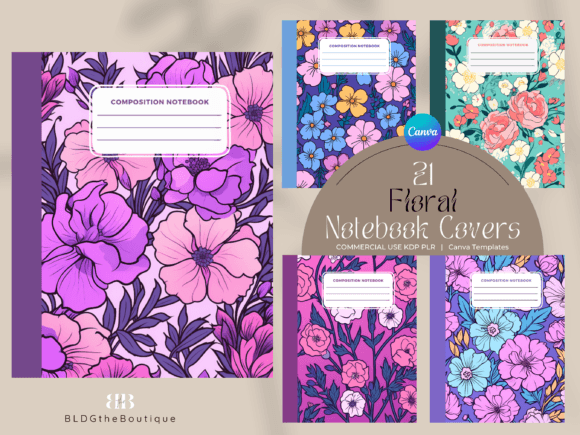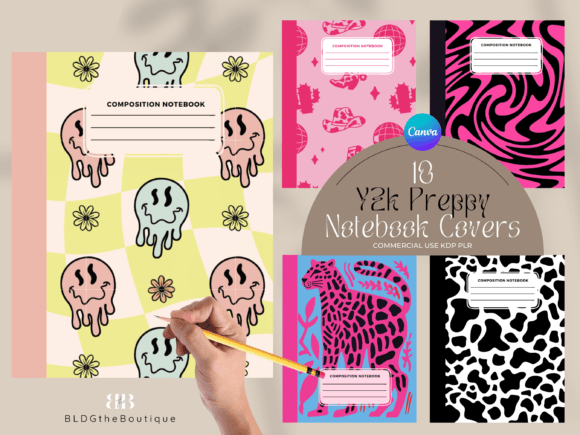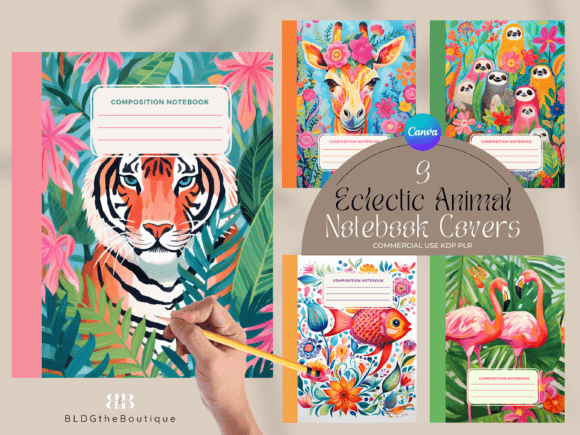
Unicorn Composition Notebook Covers for KDP: A Complete Guide to Selling Low Content Books on Amazon
If you are exploring the world of Amazon KDP publishing, you already know that cover design can make or break your listing. In the competitive niche of low content books, a captivating cover is often the deciding factor for a buyer scrolling through search results. Unicorn composition notebook covers have become especially popular among authors and entrepreneurs targeting young girls, teens, teachers, and anyone who loves whimsical, fantasy-inspired stationery. This article walks you through everything you need to know about using a bundle of unicorn composition notebook covers for KDP, from understanding the product specifications to customizing templates in Canva and successfully selling your low content books on Amazon.
What Are Low Content Books and Why Do Covers Matter?
Low content books are publications that contain minimal written content, such as notebooks, journals, planners, coloring books, and composition books. The value lies primarily in the format, structure, and design rather than extensive text. On Amazon KDP, these books are popular because they require relatively little effort to produce once you have the right templates. However, the cover is the first thing potential buyers see. A professional, eye-catching cover builds trust and encourages clicks, which ultimately leads to sales.
Unicorn themes consistently perform well in the low content space because they appeal to a broad audience. Children love the magical imagery, teenagers enjoy the trendy aesthetic, and adults appreciate the playful yet functional design for journaling, note-taking, or gift-giving. A well-designed unicorn composition notebook cover can differentiate your product from hundreds of similar listings and establish your brand as a go-to source for quality stationery.
Understanding the Unicorn Composition Notebook Covers Bundle
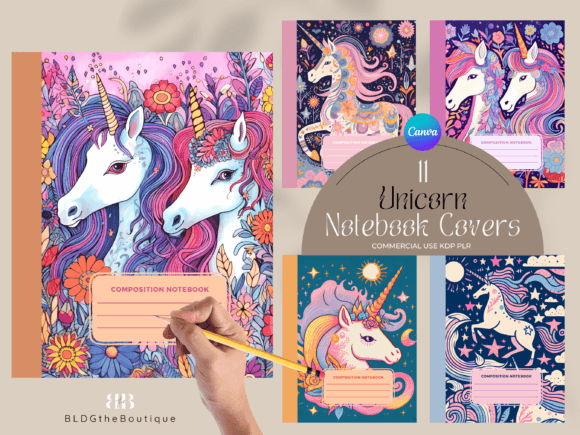
This particular bundle includes 11 unicorn composition notebook covers specifically formatted for Amazon KDP. Each cover is designed to work with a standard 110-page, 7.5 x 9.25-inch notebook, which is one of the most common sizes for composition books sold on the platform. The templates come in two formats: editable Canva templates and high-resolution JPG files. Both options give you flexibility depending on your workflow and design preferences.
What You Get in the Bundle
- Canva templates – Fully editable templates that allow you to change colors, fonts, and layout elements.
- 11 JPG files – Ready-to-use high-resolution images at 300 dpi, sized at 12.3″ x 16.4″.
- Commercial POD use – You are licensed to use these designs for print-on-demand products sold on Amazon and other platforms.
Because the covers are provided as Canva templates, you don't need advanced design skills or expensive software. A free Canva account gives you access to all the editing tools you need to personalize each cover. The JPG files serve as a convenient backup if you prefer to upload directly without further customization.
Specifications and Formatting Details
Getting the technical specifications right is crucial for KDP approval and print quality. Let's break down the exact dimensions and requirements for this bundle.
JPG File Specifications
The JPG files are delivered at 300 dpi and measure 12.3 inches by 16.4 inches. This resolution ensures crisp, clear printing for both the front and back covers. The extra size accommodates the bleed area required by Amazon's print-on-demand process. When you upload to KDP, the system will automatically trim the bleed, leaving you with a perfectly sized cover.
Canva Template Specifications
The Canva templates are pre-formatted for a 110-page, 7.5 x 9.25-inch notebook. The overall template dimensions are 15.498 inches by 9.5 inches, which includes the front cover, back cover, and spine. This is the standard layout for composition notebooks sold on Amazon. The spine width is calculated based on the page count and paper type, so you can trust that your cover will align correctly when the book is printed.
Editable Elements
One of the strongest features of this bundle is the ability to customize key design elements directly in Canva. You can change:
- The label color on the front cover
- The font used for titles and text
- The spine color to match or contrast with the front design
These editing options allow you to create multiple variations from a single template, giving your product line a cohesive look while still offering visual diversity. If you want to adjust the overall size, the templates are resizable, though you should maintain aspect ratios to avoid distortion. You can also export the final design as a PDF for direct upload to KDP, which is often the preferred format for print files.
How to Use the Templates Step by Step
If you are new to Canva or KDP cover design, here is a simple workflow to get your unicorn composition notebook ready for sale.
- Create a free Canva account if you don't already have one. Canva offers a robust free tier that includes all the tools you need for this project.
- Access the templates through the link provided in your purchase. Each template will open as a separate design in your Canva workspace.
- Customize the cover by changing the label color, font, and spine color. You can also add your own text, such as "Composition Notebook" or a custom title. Experiment with different color combinations to match your brand or target audience.
- Review the spine and back cover to ensure everything aligns correctly. The back cover typically includes a barcode area, which KDP will generate automatically during setup, so leave that space blank or use a placeholder.
- Export as PDF Print from Canva. This setting ensures high-quality output suitable for print. Name your file clearly and save it to your computer.
- Upload to KDP when creating your book listing. Under the cover section, choose "Upload a print cover" and select your PDF. The system will check for errors and confirm that the dimensions match your book specifications.
If you prefer not to customize, you can use the JPG files directly. Simply upload them to KDP as your cover image. However, you may need to adjust the spine width in your KDP settings if your book has a different page count or paper type.
Commercial Use and Licensing
This bundle is sold with a commercial POD license, meaning you can use the designs to create and sell physical products on print-on-demand platforms like Amazon KDP. This is a significant advantage because it saves you the cost and time of hiring a designer or creating original artwork from scratch. You can start selling immediately after customizing and uploading.
It is important to note that the files are not unique to you. The same designs are sold to other sellers, so you may encounter similar covers in the marketplace. To stand out, invest time in customizing the colors, fonts, and label styles. Adding your own branding elements, such as a logo or a unique series name, can also help differentiate your notebooks from others using the same base templates.
Common Misunderstandings About Digital Templates
There are a few points that new KDP sellers sometimes misinterpret when purchasing digital templates. Let's clarify them.
- These are not SVG or vector files. The JPG files are raster images, meaning they are composed of pixels. For most print purposes, 300 dpi is more than sufficient, but you cannot infinitely scale them without losing quality. The Canva templates are also raster-based within the Canva environment.
- You need a Canva account to edit the templates. The templates are shared via Canva's platform. A free account gives you full editing access. You cannot open them in Adobe Illustrator or Photoshop unless you convert them, which is not recommended for maintaining the original formatting.
- No physical items are shipped. This listing is for digital files only. You will receive a download link or access to the Canva templates after purchase. There is no printed product involved.
Tips for Success Selling Unicorn Composition Notebooks on KDP
Once you have your covers ready, here are some practical strategies to increase your chances of success on Amazon.
Optimize Your Book Title and Description
Include relevant keywords such as "unicorn composition notebook," "magical notebook for girls," "kawaii stationery," and "low content book." Write a description that highlights the features, such as 110 pages, wide ruled or blank interior, and the beautiful cover design. Mention potential uses like school supplies, birthday gifts, or daily journaling.
Use High-Quality Interiors
The cover may attract buyers, but the interior quality determines whether they leave a positive review. Choose a clean, well-formatted interior that matches the target audience. For unicorn notebooks, consider adding decorative page borders, motivational quotes, or simply a classic ruled layout.
Leverage Amazon KDP Categories
Select the most relevant categories for your notebook, such as "Children's Unicorn Books," "Composition Notebooks," "Stationery," or "Fantasy Journals." Proper categorization helps your book appear in front of the right buyers and improves organic search visibility.
Create Multiple Variations
Use the editable elements to produce several color variants from the same template. Offer pink, purple, blue, and rainbow versions. This gives customers choice and increases the chance they will find a design they love. You can also create series, such as "Unicorn Dreams Volume 1, 2, and 3," each with a slightly different cover.
Price Competitively
Low content books typically sell in the $5.99 to $9.99 range. Check what similar unicorn composition notebooks are priced at and aim for a competitive yet profitable price. Remember to account for Amazon's printing costs and your royalty margin.
How This Bundle Fits Into Modern Publishing
Low content book publishing has grown into a legitimate side hustle and even full-time business for many entrepreneurs. The barrier to entry is low, and the demand for themed notebooks remains steady. Unicorn composition notebook covers tap into a timeless trend that appeals to children, teens, and adults alike. By using pre-designed templates, you save hours of design work and can focus on marketing, listing optimization, and expanding your product line.
These templates also work well for other platforms like Etsy, where you can sell digital products or physical notebooks printed through a POD service. The commercial license gives you flexibility beyond Amazon, making this bundle a versatile asset for your publishing business.
Final Thoughts
Unicorn composition notebook covers are a smart investment for any KDP publisher looking to enter or expand in the low content book market. With 11 unique designs, editable Canva templates, and ready-to-use JPG files, you have everything you need to start selling quickly. The ability to customize colors, fonts, and spine elements means you can create a branded line of notebooks that stands out in search results. Just remember to optimize your listings, choose the right categories, and provide a quality interior to match the beautiful covers.
If you are ready to launch your unicorn notebook series, add this bundle to your cart today. With minimal effort and maximum creative control, you can turn these templates into a profitable product line that delights customers and builds your brand on Amazon.