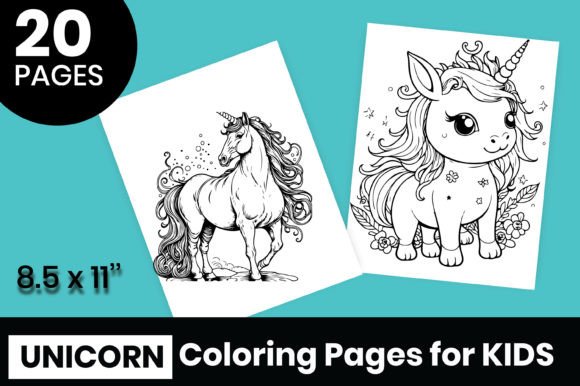
20 Unicorn Coloring Pages for Kids: A Versatile Resource for Creators, Educators, and Entrepreneurs
Unicorn coloring pages have become a staple for children’s activities, but when you step behind the scenes—whether you’re a teacher planning a term, a parent curating a rainy-day folder, or a small business owner building a product line—the way you source and use those pages matters. The bundle titled 20 Unicorn Coloring Pages for Kids offers more than just a set of cute images. It provides a collection of files that can be integrated into multiple workflows, from immediate print-and-color sessions to long-term digital asset libraries. Understanding what this resource actually contains and how to deploy it at different stages of a project can save time, improve quality, and open up income streams.
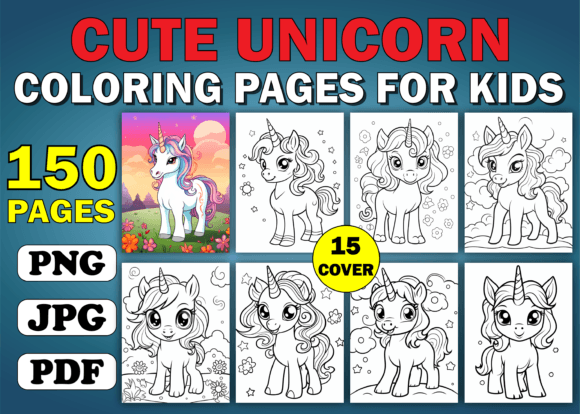
At first glance, the package includes 20 unicorn-themed designs in JPG, PNG, and PDF formats, plus AI and EPS vector files. The physical specifications—8.5” x 11” at 300 DPI—make the pages ready for high-quality print on standard paper or cardstock. But the real value lies in the flexibility. Because the files are provided in both raster and vector formats, you can use them as-is for coloring sheets or adapt them for entirely different purposes: resize without losing clarity, change colors, extract individual elements, or combine them with other assets.
Who This Resource Serves and How It Fits Into Real Workflows
The target age group (4–12 years) is obvious for the coloring activity itself, but the adults who will actually handle these files are often teachers, homeschool parents, children’s book authors, party planners, content creators on platforms like Etsy or Teachers Pay Teachers, and small business owners looking for no-fuss illustrations. Each of these roles approaches the product from a different angle.
For educators. A primary school teacher might print the PDF pages directly for a fine motor skills station or a calm-down corner. But because the files are high-resolution and include vector formats, that same teacher can project the images on a smartboard, resize them for worksheets, or incorporate them into a larger lesson plan about mythical creatures or color theory. The preparation step is minimal: open the PDF, choose pages, and print. No need to redraw or trace. This consistency ensures every child gets a clean, well-proportioned outline.
For homeschooling parents. The bundle acts as a plug-and-play resource. Instead of searching the internet for free pages of varying quality, you have a reliable set that can be printed multiple times. You might use one page per day as a morning warm-up, or group several pages for a themed party activity. Because the files are print-ready, you can prepare a binder with plastic sleeves and reuse the pages with dry-erase markers—an efficiency hack that extends the life of the product.
For entrepreneurs and creators. This is where the resource transitions from a simple coloring book into a business asset. The AI and EPS vector files allow you to edit the unicorns—change colors, remove backgrounds, add text, or combine with other graphics. You could create a line of printable party kits, sell individual pages on a digital marketplace, or upload the designs to a print-on-demand service for products like mugs, tote bags, or stickers. The 300 DPI resolution meets commercial printing standards, so you aren’t limited to home inkjets.
Technical Specs That Affect Implementation
When evaluating a digital product for professional use, the file formats and dimensions are not mere details—they dictate what you can practically do. The 8.5” x 11” size is standard letter, which means it fits most laser and inkjet printers without scaling. The 300 DPI ensures sharp lines even when printed at full size. For digital use, the PNG files come with transparent backgrounds (implied by the common format), making them easy to layer over other designs or place on websites without a white box.
The inclusion of AI and EPS files is particularly important for anyone who uses Adobe Illustrator or other vector editing software. Vector files allow you to scale the unicorn images to banner size without pixelation, or shrink them to thumbnail size without losing detail. This is essential if your workflow involves creating multiple products from one base design—for instance, using the same unicorn on a coloring page, a sticker sheet, and a digital background.
For those who don’t edit vectors, the PDF and JPG formats cover the basics. The PDF is print-ready and can be used on any device that supports PDF readers. The JPG files work well for quick digital sharing on social media or in emails. Having all formats in one download eliminates the need to convert files yourself, which often degrades quality or introduces errors.
Practical Integration Tips: Before, During, and After a Project
To get the most out of the 20 Unicorn Coloring Pages for Kids, think of the bundle as a base asset that can be modified and combined at different phases of your work.
Before a project. If you’re planning a children’s event or launching a new product line, download the zip file and organize the contents immediately. Create folders: “Print-ready (PDF),” “Editable (AI/EPS),” “Web use (PNG),” and “Quick preview (JPG).” This prevents scrambling later. Check the AI files for layers—if they are well-structured, you can easily hide backgrounds or isolate specific unicorn elements in under a minute.
During a project. For a classroom activity, you might print a set of pages and also project a PDF on a screen to demonstrate coloring techniques. For a business, you could load a PNG into Canva, add a border and your logo, and produce a custom coloring page for your brand. The vector files allow you to tweak colors to match a specific palette—for example, turning a pastel unicorn into a bold logo element.
After a project. The files remain reusable. If you printed for a one-time party, you still have the digital originals for future events. If you used a design in a product listing and later want to resize it for a banner, the vector format lets you do so without starting over. Consider archiving the .zip in a cloud storage folder so you can access it across devices.
Quality Control and Long-Term Usability
One concern with downloadable images is inconsistency. This bundle provides uniformity: all pages share the same dimensions, resolution, and style, which simplifies planning. You won’t have to crop or adjust each image individually before printing. The 300 DPI standard means that print quality remains high even after multiple copies, as long as you use decent paper and ink.
For long-term use, the vector files (AI and EPS) are the most future-proof. Even as software updates roll out, these formats remain industry standards. If you replace your printer or move to a different design program, the vectors will scale to any new size. The PNG files with transparency are also valuable as a fallback for web use.
If you’re a creator who sells digital products, you might bundle the PDF or individual PNGs with your own added content—like a set of instructions or a story prompt. Because the original files are yours to modify (the product description says “use for everything you want”), you retain the ability to create derivative works without restrictive licensing. This is a key factor for anyone building a business around digital downloads.
Workflow Examples Across Different Roles
Consider a freelance graphic designer asked to create a children’s activity booklet for a client. With this bundle, the designer can open the AI file, select a unicorn, adjust the line weight slightly to match the client’s style, and place it into a layout. The remaining 19 designs can be used for subsequent pages, maintaining a cohesive look. The designer also provides the client with both print-ready PDF and editable source files, meeting professional delivery standards.
Now imagine a small business owner who runs an Etsy shop selling printable games. After purchasing this bundle, they use one unicorn image as a base for a coloring contest entry form. They remove the background in Photoshop, add a text box for the child’s name, and list the item. Because the PNG already has a transparent background, this edit takes only a few minutes. The 300 DPI ensures the final PDF looks crisp when the customer prints at home.
A teacher preparing for a substitute day can print all 20 pages and staple them into a booklet. No extra prep needed. If the lesson runs short, the extra pages remain available. The same teacher could also upload a few PNGs to a classroom blog for parents to download and print at home. The consistency of the set makes it easy to share without worrying about file compatibility.
Final Observations on Efficiency and Versatility
The 20 Unicorn Coloring Pages for Kids bundle is a practical tool precisely because it acknowledges that one size does not fit all workflows. By offering multiple formats and a common print-ready spec, it reduces the friction between the download and the final output. Whether your goal is to entertain a child for twenty minutes, teach a lesson on color blending, or start a small print-on-demand line, the files are designed to be used immediately and repurposed indefinitely.
Adults who integrate these images into their routine often find that the investment in a curated set saves hours that would otherwise be spent hunting for free graphics of inconsistent quality. The ability to use the same asset in print, digital, and vector contexts makes it a flexible component of a larger toolkit. And because the product is targeted at kids but built for adults, the technical decisions behind the bundle—standard size, high DPI, editable vectors—reflect a clear understanding of how end users actually work.
For anyone building a library of children’s illustrations, from educators to entrepreneurs, this set provides a solid foundation that can be adapted to shifting needs. The real value isn’t just the 20 unicorns themselves; it’s the time you don’t spend reformatting, the consistency you don’t have to enforce, and the new uses you discover after the first download.