New Year’s Goal Planner for Bold Creative Projects
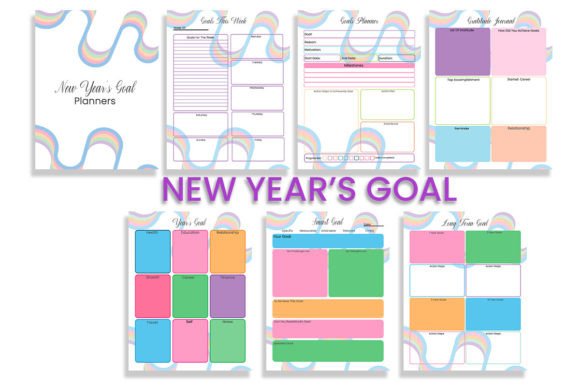
A new year often arrives with a swirl of ambition and a stack of blank notebooks. But intention without structure rarely survives February. The New Year’s Goal Planner steps in as a practical bridge between aspiration and execution. It is a coordinated set of seven high-resolution pages at 300 DPI, prepared in CMYK color for faithful print reproduction. The package includes AI, PNG, and SVG files, which means you can open, edit, and adapt the design in everything from Adobe Illustrator to a simple browser. This is not a single-use template. It is a flexible system you can reshape for your own workflow, your audience, or your creative brand.
What makes this planner interesting is its insistence on both clarity and possibility. The seven pages are structured enough to guide goal formation, tracking, and review, yet each element can be recolored, relabeled, or rearranged. The high-resolution CMYK files ensure a professional outcome whether you print at home or send the job to a commercial press. The AI and SVG vectors give you infinite scalability, so the same design works on a desktop wallpaper, a planner page, a poster, or a social media graphic. That versatility is what makes this tool feel less like a static document and more like a creative starting point.
Seven Pages That Push Beyond the Ordinary
The seven-page format is generous without being overwhelming. Each page targets a distinct phase of goal work, from big-picture visioning to weekly accountability. The design encourages you to move between reflection and action without getting stuck in one mode. For a creator or entrepreneur, this structure is especially useful because it prevents the common trap of over-planning. You have space to think, but you also have prompts that ask for decisions and timelines.
Vision and big-picture mapping
One of the early pages usually invites you to articulate your core focus for the year. Instead of a vague inspirational quote, the layout asks for specific language: what does success look like, who does it serve, and what resources are already in place. If you are a designer building a brand strategy for your studio, you can use this page to clarify your service offers and the audience you want to attract. If you are an educator planning a course launch, you can map the learning outcomes and the student experience you aim to create. The planner does not prescribe a single use case; it gives you a grid and asks you to fill it honestly.
Breakthrough goal breakdowns
Another page might take a single major goal and explode it into smaller projects. This is where the planner becomes a genuine productivity tool. You can write the main target at the center, then branch into quarterly milestones, monthly actions, and weekly tasks. For a blogger or content creator, this could mean taking the goal of “grow email subscribers” and turning it into a content calendar, a lead magnet design timeline, and a promotion schedule. For a small business owner, it might mean turning a revenue target into specific sales actions and partnership outreach. The format respects different paces and scales, which is why it works across industries.
Visual tracking and accountability
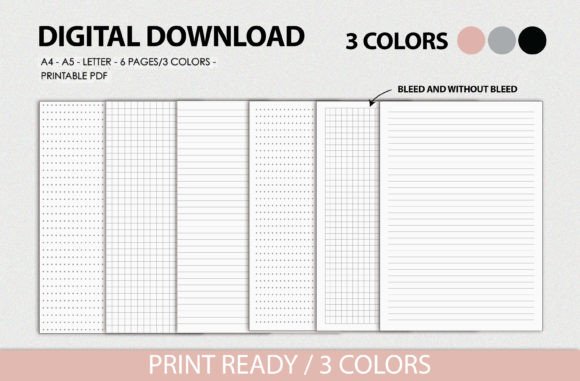
Several pages are built for tracking progress without becoming tedious. Dot grids, habit checklists, and mini calendars give you a way to log consistency without writing a journal entry every day. This is especially helpful for the freelancer or hobbyist who wants to maintain momentum without heavy process overhead. The 300 DPI resolution means any checkboxes, lines, or icons you print will be crisp, even at small sizes, so the tracking experience is pleasant rather than frustrating. The SVG files also allow you to add your own icons, colors, or branding elements if you want to customize the tracking pages for a specific project.
Creative Variations and Application Ideas
Because the planner arrives in multiple formats, you can apply it in ways that go beyond a standard printed booklet. Below are some of the most practical and imaginative approaches different users can take.
- Commercial reseller packs. Open the AI file and adjust the color palette to match a unified brand. Add your own logo, adjust the typography, then export a new set of PDF files. You can sell these as a limited-edition collection on your website or creative marketplace. The CMYK color mode means your customers will get accurate print results, which builds trust and reduces support questions.
- Hybrid digital and analog systems. Use the SVG files to import individual pages into planning apps like GoodNotes, Notability, or Concepts. The high resolution and vector layers let you zoom in and write with fine detail, exactly as you would on paper. You can keep the whole planner on an iPad for daily use, then export specific pages as PDFs for weekly printing.
- Branded workshop or course materials. If you teach a goal-setting workshop or an online course, include the planner files as a participant resource. You can modify the AI file to insert your course-specific prompts, remove irrelevant pages, or add a workbook cover with your program name. The cohesive design means your materials look polished without requiring a full design from scratch.
- Custom client proposals. For marketers and service professionals, the planner’s formatting can be adapted into a goal proposal for clients. Use the vision page to summarize what the client wants to achieve, the checklist page to outline steps, and the tracking page to show a timeline. The professional CMYK output ensures the proposal feels like a product, not a scrap of notes.
- Personal productivity experiments. Even if you never sell or share the planner, try running it for three months as a personal experiment. Print two copies: one for your main goals and another for a rapid prototyping project. Because the design is clean and symmetrical, you can cut and paste pages into a physical planner or binder. The 300 DPI ensures that any ink or pen work stays sharp and does not bleed.
Keeping Your Results Clear and Effective
Practical success with this planner depends on treating it as a live document, not a one-time fill. The greatest risk is completing the first page with enthusiasm and never revisiting the rest. To keep your results organized and useful, try these approaches.
First, assign a consistent review time. Even ten minutes every Sunday works. Look at the tracking pages and ask: are my weekly actions still aligned with the quarterly milestones? If not, adjust the smaller elements rather than abandoning the whole plan. The planner is designed for revision, which is why the pages are structured with both fixed prompts and open space. Use the open space to jot down context or notes after each review. Over time, that margin content becomes valuable decision history.
Second, maintain visual clarity. If you are editing the AI or SVG versions, keep a consistent color hierarchy. For example, use one accent color for goal statements, another for deadlines, and a third for completed items. This makes the page scannable at a glance, which is critical when you are managing multiple projects. A marketer juggling campaigns, a blogger tracking content pillars, or a designer managing client work will all benefit from a clear legend on the corner of the page.
Third, respect the CMYK color space. If you plan to print, avoid overly bright RGB colors that will shift when converted. Use the provided palette as a starting point or pick muted tones that translate cleanly to ink. This keeps the final product professional and easy to reproduce. The high resolution means nothing gets lost in translation, so your only task is to choose colors that match your audience or brand tone.
Adapting for Different Audiences and Formats
The planner shines when it is adapted for a specific audience. A freelancer, an entrepreneur, and a course creator face different planning tensions, and the page layouts can flex to accommodate those differences.
For the solo creator or freelancer
You have limited time and often wear every role in your business. Use the planner to separate client work from your own growth goals. Dedicate specific pages to each bucket. The visual arrangement helps you see whether you are overserving one area at the expense of another. You can even use the SVG files to create a simplified weekly layout that fits into your existing planning system.
For the small business owner or marketer
Team coordination and campaign timelines demand more structure. Use the AI file to expand the tracking pages into multi-week templates. You can duplicate the pages within the file, shift the dates, and create a rolling twelve-week plan. The professional 300 DPI output means you can print these on standard office paper and they will still look good enough to share in a team meeting. The CMYK mode also prepares you for any printed materials you need later, like flyers or guides.
For the educator or workshop leader
Your goal is to help others clarify their own ambitions. The planner becomes a teaching aid. Use the vision page as a guided template during a workshop session. Hand out PDF copies and work through each prompt together. Because the design is structured but not busy, participants can follow along without confusion. You can also take the SVG versions and build a shared digital board where participants annotate their goals collaboratively. The high resolution keeps everyone’s notes legible.
Practical Recommendations for Long-Term Use
The planner is robust enough for a full year of intentional work, but only if you treat it as a system you return to. Print the pages on a medium-weight paper that can handle pen and a bit of erasing. Keep the master AI or PDF file accessible so you can reprint individual pages as needed. If you lose momentum, pull out the tracking page and commit to filling just one small checkbox. The design rewards small, consistent actions more than grand one-time bursts.
For those who enjoy iterative design, the planner also works as a creative reference. The layout choices, typography hierarchy, and grid structure can inform your own design projects. The CMYK simulation helps you understand how colors behave in print without guesswork. That is a hidden benefit: you are not just planning goals; you are also studying a thoughtfully built printable system that you can borrow from in your own creative work.
Ultimately, the New Year’s Goal Planner is flexible without being vague and structured without being rigid. It respects the fact that different people plan differently. The seven pages are a complete cycle, but the AI, PNG, and SVG files mean you can stop anywhere and customize. Whether you are an entrepreneur building quarterly targets, a designer preparing client materials, or a blogger creating content that actually finishes, this planner gives you a clear, high-quality foundation. The new year is simply the excuse to start. The design is what makes the follow-through possible.